-
July 16, 2026
Operational Excellence: How BPM Drives Continuous Improvement
Learn more

With Emakin 9.0, users and process teams get AI help with their work, through Ema, Emakin's AI assistant, and MCP tools for your own assistants.

With Emakin 9.0, people can get help from AI to find information, keep track of their work and move processes forward. Process teams can use the same help to understand, design and improve their processes.
We offer this in two ways: Ema, Emakin's AI assistant, which works inside Emakin, and MCP tools, which connect the AI assistants your organisation already uses to Emakin. Either way, access and actions stay within the user's existing permissions and Emakin's audit rules.
When someone opens a process platform, they usually want one of three things: to find a piece of information, to see where a piece of work stands, or to move something forward. Today that often means clicking through several screens and hunting for the right filter.
With Ema, they can just ask. A manager might start the day with:
"Summarise the purchase requests waiting for my approval and show me the overdue ones."
Ema finds the pending requests, gives a short summary and picks out the ones past their due date. In the same way, it can summarise the latest activity on a case, fill in a form from a short description, or start a new process. It only draws on the processes, records and documents the user already has access to.
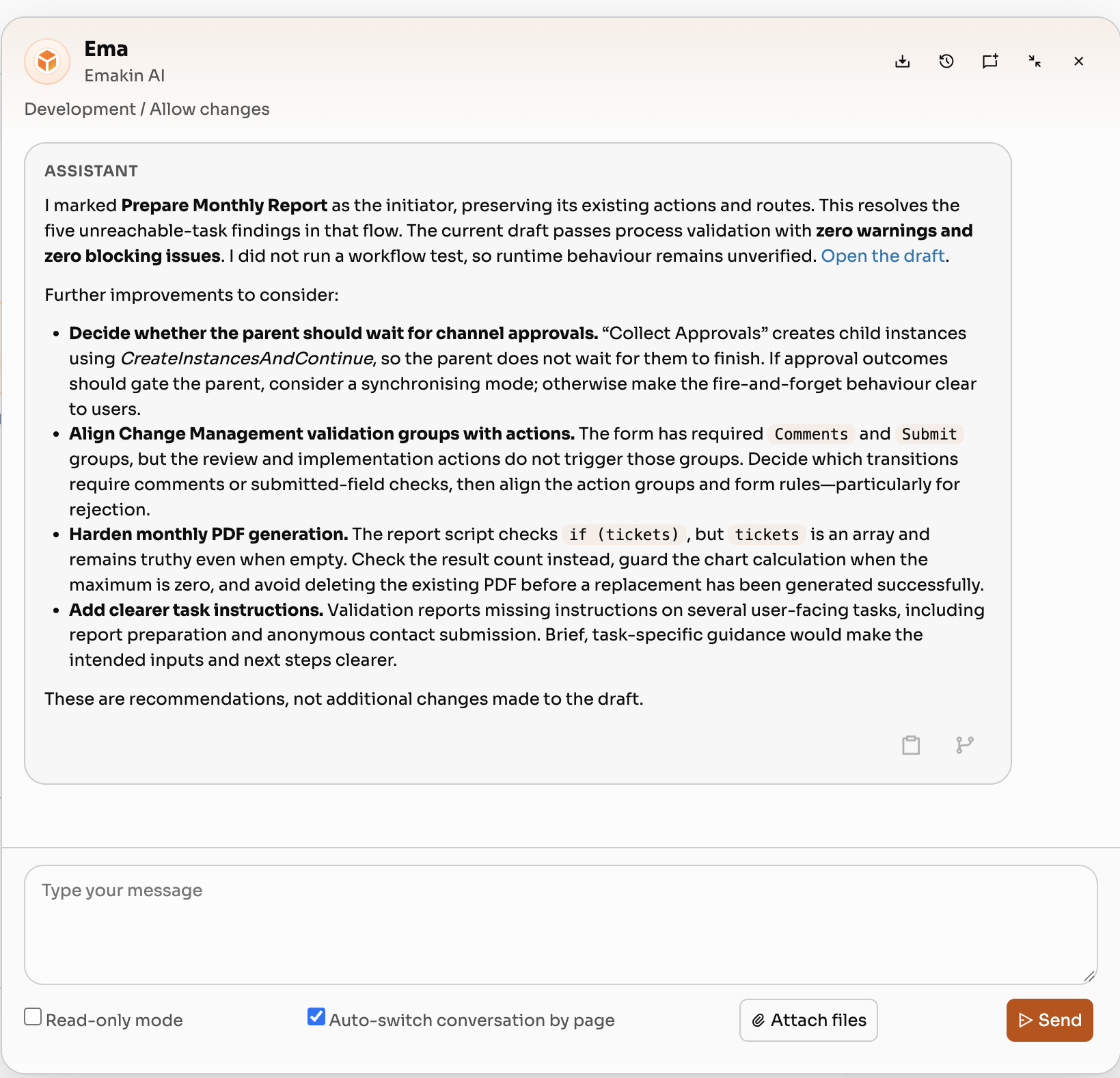
Ema's second role is working alongside the people who design and maintain processes. This is not only about making changes; often the first step is understanding the process you already have. In a process that has grown over the years, a single question can save a lot of digging:
"In this process, when does a request go to the finance team?"
Ema reads the process definition, finds the relevant conditions and steps, and explains the answer in plain language. It can also find points where work is handed between teams without clear ownership, missing instructions, or scripts that need a closer look. Give it a business goal and it will suggest improvements. When a change is made, it runs the process through Emakin's design validation and explains the result. That validation checks the process structure and configuration; it does not replace runtime testing.
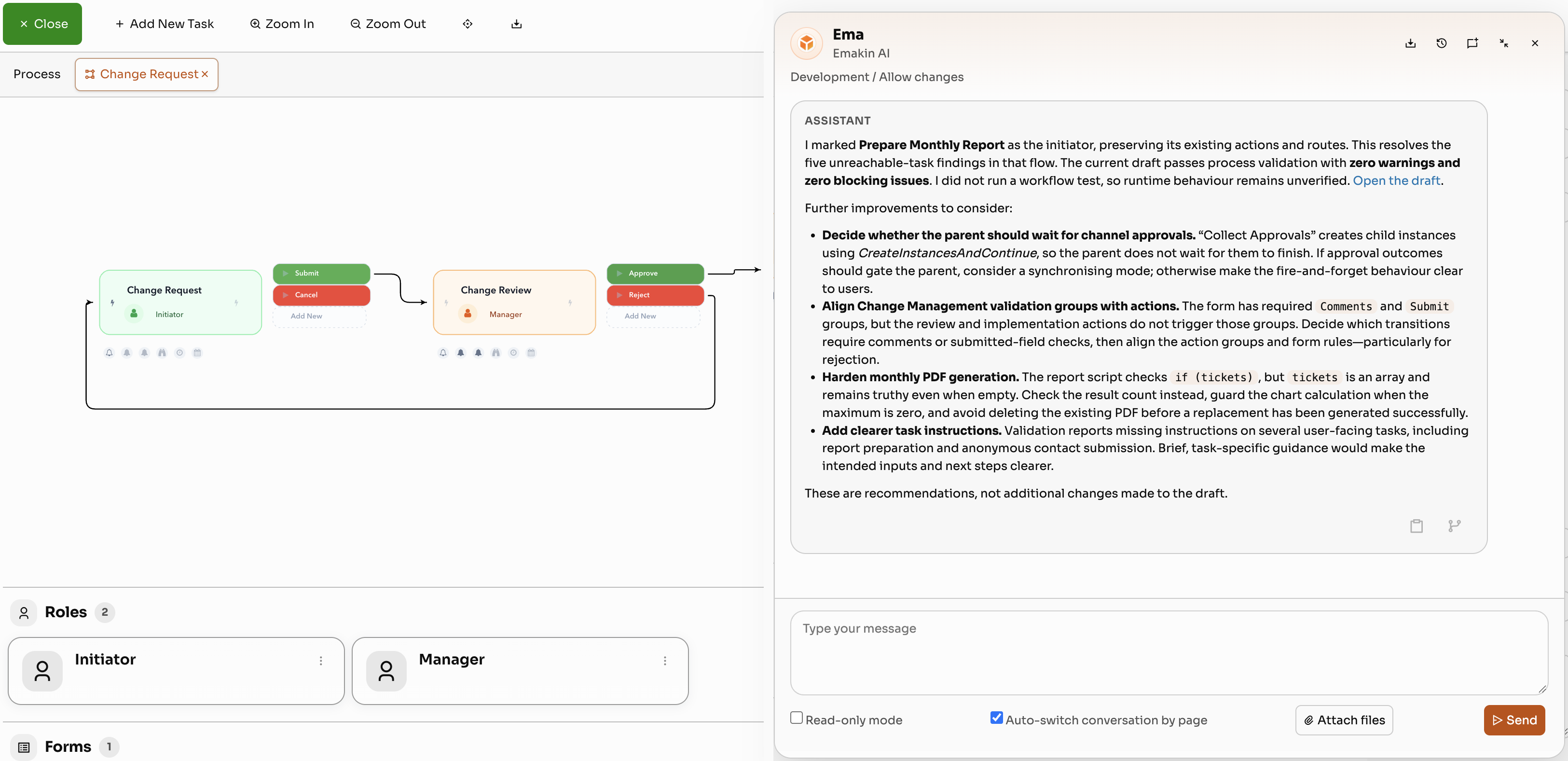
For mid-sized organisations, this means they can design and adapt their own processes without going back to a specialist developer for every change. Larger teams save time on routine design and review work.
A few settings keep this under control. In Safe Mode, Ema only analyses and makes suggestions; it changes nothing. Before it can make changes, an administrator has to switch on development assistance separately. You can also give Ema your organisation's own standards as skills, for example a form layout rule it should always follow when reviewing forms. Ema speeds up the developer's work, but it does not replace review or the final decision.
Many organisations have already chosen an AI assistant for their staff. The open standard these assistants use to talk to business systems is called the Model Context Protocol (MCP). Emakin 9.0 supports it, so the assistant you already use can reach the information and actions in Emakin directly.
Emakin offers two MCP endpoints. The User endpoint covers everyday work: reading and completing work items, starting processes, and working with cases, people and files. The Development endpoint is for inspecting or changing processes, forms and scripts. Each connection uses an Emakin access token tied to a real user, and administrators decide which endpoints are enabled.
The first question most organisations ask about AI is where their data goes. Using Ema does not require sending your data to a public AI service. When you run Emakin on-premises or in a private cloud and connect Ema to a model hosted in your own data centre, the process data, documents and prompts Ema works with stay inside your network.
If you prefer a cloud service, you can connect Azure OpenAI, OpenAI, Anthropic or Google. If you want to switch provider later, your processes do not need to change.
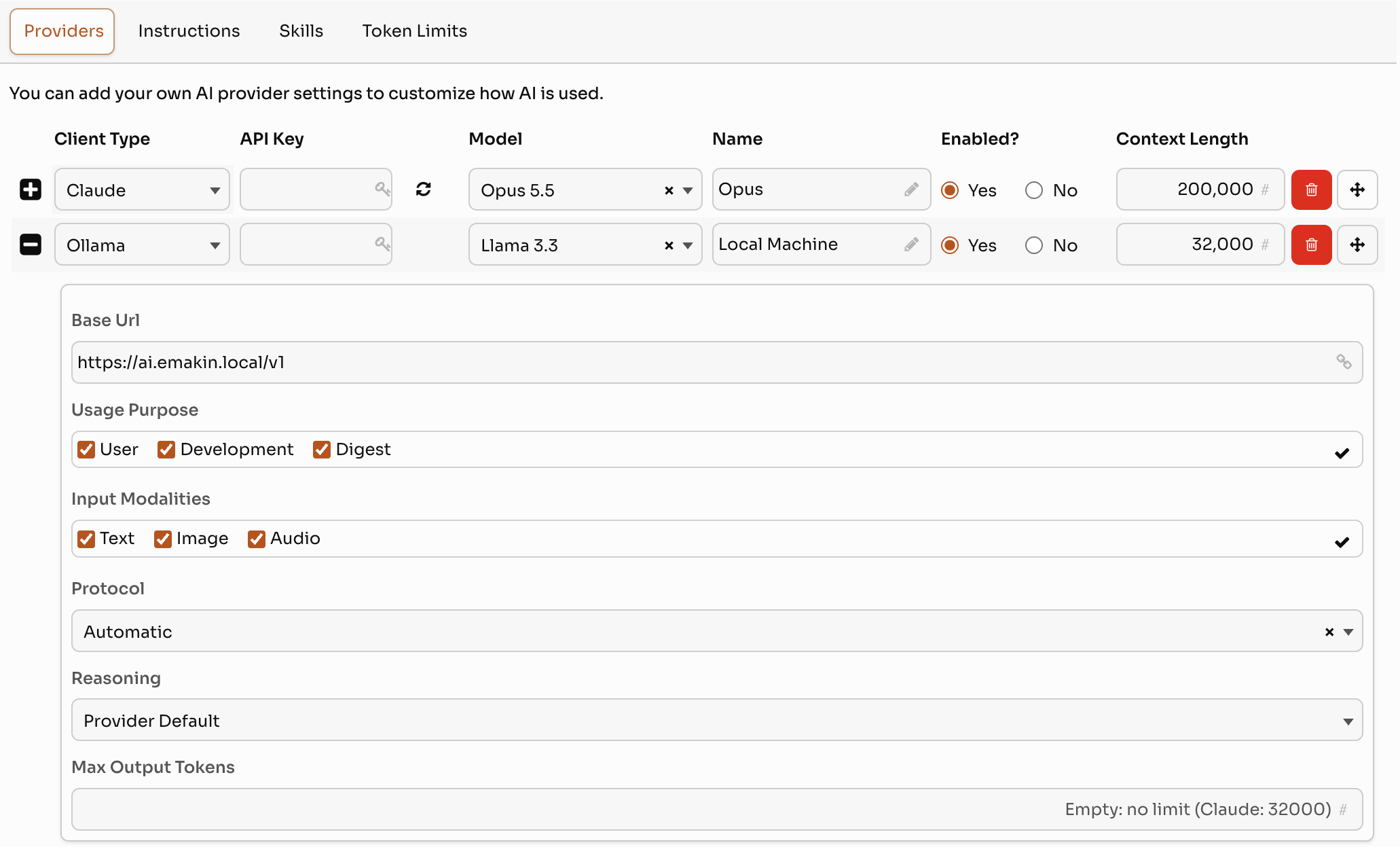
Ema and MCP-connected assistants work with the roles and permissions of the user they are helping. They cannot see anything that user cannot see, or do anything that user is not allowed to do. Everything they do is written to Emakin's audit logs like any other user action, so you can always see who did what, and when.
You do not need a separate licence for Ema or MCP tools; both are part of Emakin 9.0. AI usage is tracked in Ema Tokens, measured on the Emakin side. This applies whichever model Ema uses, and includes usage through MCP.
Your licence comes with an annual Ema Token allowance for your organisation (10,000 tokens per user). The allowance is shared across the organisation, and administrators can set how much each user may use. Additional token packages are available as usage grows. If you connect your own cloud provider account, that provider's charges are between you and the provider.
If the allowance runs out, your processes keep running. Only the AI features pause until more tokens are added.
You can find more detail on Ema and MCP on the Emakin AI page. If you would like to see Ema working on processes like yours, let's set up a demo.
Insights on process automation, product updates, and what's happening at Emakin
Süreç yönetimi, ürün geliştirmeleri ve Emakin'deki güncel gelişmeler

Emakin is a low-code platform that helps businesses quickly design, automate, and manage their business processes effortlessly.





Emakin, kurumların iş süreçlerini daha hızlı, kontrollü ve verimli şekilde yönetmesine olanak tanıyan bir low-code BPM platformudur.